Ever lost track of important assets? Barcode labels simplify asset tracking and reduce errors. They speed up identification and improve accuracy.
Barcode labels are essential for managing assets efficiently. They come in various types suited for different needs and environments.
In this post, you’ll learn what barcode labels are, why they matter, and how to choose the right type for your asset tracking system.
Understanding the Benefits of Barcode Labels in Asset Management
Easy Asset Tracking and Identification
Barcode labels make asset tracking simple and fast. Instead of writing down or typing long asset numbers, you just scan the barcode. This speeds up the process and reduces mistakes. Each asset can have a unique barcode, so you always know exactly what item you are dealing with. This helps companies quickly locate equipment or items, saving time and preventing loss.
Reducing Manual Entry Errors and Improving Accuracy
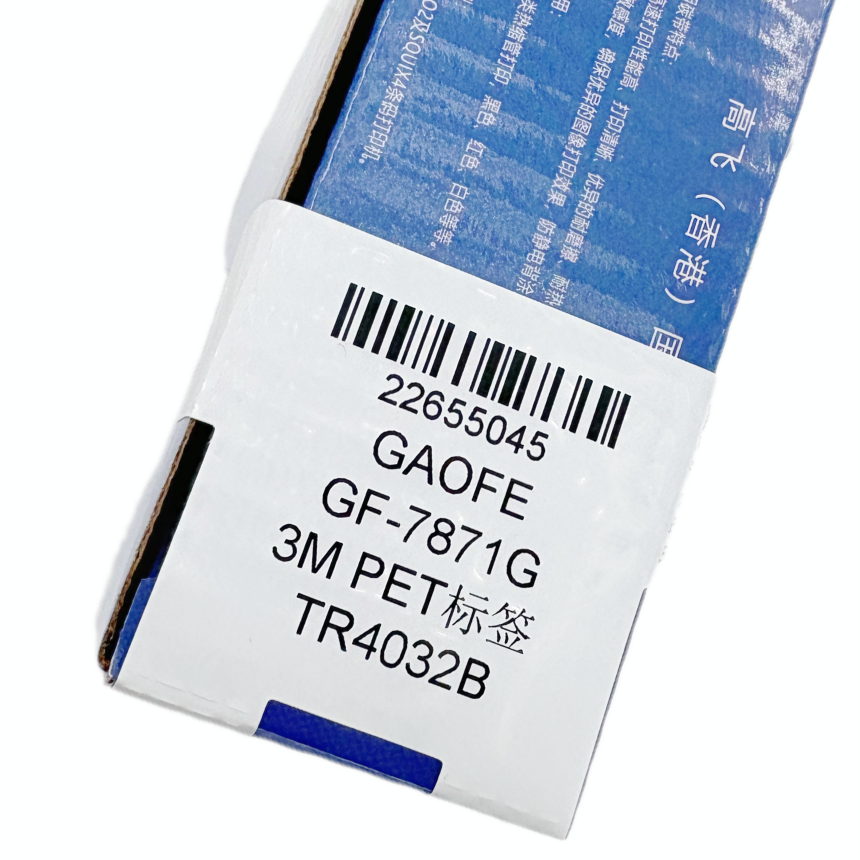
Manual data entry often leads to errors like typos or missing information. Barcodes eliminate this problem by automating data capture. When scanned, the barcode sends accurate information directly into your asset management system. This increases data reliability and prevents costly mistakes. For example, scanning a barcode ensures the right asset is recorded, avoiding confusion during audits or maintenance.
Lowering Operating Costs and Streamlining Audits
Using barcode labels cuts down on labor hours spent tracking assets. It also reduces errors that cause inventory discrepancies or unnecessary purchases. This leads to lower operating costs. Additionally, barcodes speed up audit processes. Instead of manually checking each asset, auditors scan barcodes quickly, often reducing audit time by up to 70% (example data). This efficiency means fewer disruptions and better resource allocation.
Tip: Always choose barcode labels that fit your environment and workflow to maximize tracking accuracy and reduce costly errors.
Industrial Barcode Labels: Durability and Use Cases
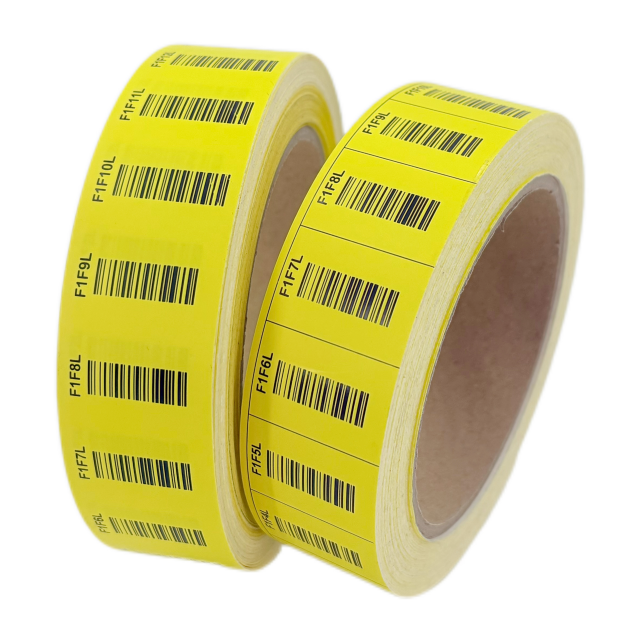
Industrial barcode labels are built tough. They resist heat, moisture, chemicals, abrasion, and outdoor exposure. This makes them perfect for harsh environments like factories, warehouses, and outdoor storage. These labels stick well to metal, plastic, and rough surfaces. You’ll find them on heavy machinery, pallets, and manufacturing parts. Their durability ensures barcodes remain readable over time, reducing errors and downtime.
Retail Barcode Labels: Optimized for Point-of-Sale and Inventory
Retail barcode labels focus on clarity and branding. They’re designed for smooth scanning at checkout counters and inventory shelves. Usually printed on paper or light synthetic materials, these labels handle everyday handling but aren’t made for tough conditions. They often carry UPC or EAN codes, ideal for product packaging and price tags. Retail labels balance scan accuracy with attractive design to support marketing and sales.
LPN Barcode Labels: Streamlining Warehouse and Distribution
LPN (License Plate Number) barcode labels simplify warehouse operations. These labels assign a unique ID to pallets, cartons, or totes. Instead of scanning every item, workers scan the LPN to access all contents instantly. This speeds up picking, shipping, and inventory counts. LPN labels require durable materials since they face frequent handling and transport. They integrate well with warehouse management systems (WMS) to improve accuracy and efficiency.
Material Considerations: Paper vs Synthetic Labels
Choosing label material depends on environment and lifespan needs:
Paper Labels: Cost-effective and good for short-term or indoor use. They work well in retail or light-duty inventory but wear quickly in harsh conditions.
Synthetic Labels: Made from materials like polyester or polypropylene, these labels resist moisture, chemicals, and abrasion. They last longer and maintain scan quality in industrial and warehouse settings.
Selecting the right material ensures labels stick properly and stay legible, reducing costly replacements and scanning issues.
Tip: Match barcode label type and material to your environment and asset handling to maximize durability and scanning accuracy.
Popular Barcode Formats Used in Asset Tracking Labels
1D Barcodes: Code 39 and Code 128 Explained
One-dimensional (1D) barcodes are the classic, linear barcodes you see on many products. They use a series of vertical bars and spaces to encode data. Two of the most common 1D barcode types in asset tracking are Code 39 and Code 128.
Code 39 is widely used because it supports both numbers and letters, making it versatile for asset IDs. It’s simple to print and can be read by most barcode scanners, even older models. This makes it a reliable choice for many industries. Code 39 works well for labeling equipment, tools, and parts in warehouses or manufacturing.
Code 128 offers higher data density, meaning it can store more information in a smaller space. It supports all 128 ASCII characters, making it ideal for complex asset tracking needs that require detailed data. Code 128 is popular in logistics and supply chain environments where space on labels is limited but detailed info is needed.
Both code types don’t require special software for scanning, and they integrate easily with asset management systems. Choosing between them depends on how much data you need to encode and label size constraints.
2D Barcodes: QR Codes and Their Applications
Two-dimensional (2D) barcodes store data both horizontally and vertically, allowing them to hold much more information than 1D barcodes. The most familiar 2D barcode is the QR code.
QR Codes can store hundreds or even thousands of characters. They are readable by smartphones and dedicated scanners, making them versatile for asset tracking and beyond. QR codes can link directly to websites, maintenance logs, or asset history, providing instant access to detailed info.
They are especially useful when you want to include URLs, instructions, or multimedia content related to the asset. For example, scanning a QR code on a piece of equipment could open a webpage with user manuals or service records.
However, QR codes require more precise printing and scanning conditions. They may not be suitable for very small labels or harsh environments where damage could affect readability.
RFID Barcodes: Advantages and Cost Considerations
Radio Frequency Identification (RFID) tags represent a different type of asset tracking technology. While not a traditional barcode, RFID is sometimes grouped with barcode systems because it serves a similar purpose: identifying and tracking assets.
RFID tags transmit data wirelessly via radio waves. This means you don’t need a direct line of sight to scan them, unlike optical barcodes. RFID readers can scan multiple tags simultaneously, speeding up inventory counts and audits.
RFID is ideal for tracking large volumes of assets quickly, such as pallets in a warehouse or equipment in a large facility.
The downside is cost. RFID tags and readers are more expensive than barcode labels and scanners. Implementation also requires more planning and infrastructure.
Despite the higher initial investment, RFID can significantly improve efficiency in complex asset tracking operations.
Tip: Choose barcode formats based on your data needs and scanning environment—use 1D barcodes like Code 39 for simplicity, 2D QR codes for rich data access, and RFID for high-volume, contactless scanning.
How to Choose the Right Barcode Label for Your Asset Tracking System
Assessing Environmental Conditions and Label Durability Needs
Choosing the right barcode label starts with understanding the environment where it will be used. Labels exposed to harsh conditions—like extreme heat, moisture, chemicals, or outdoor elements—need to be tough. Industrial-grade synthetic labels made from materials like polyester or polypropylene resist wear, fading, and damage. They keep barcodes readable for years, even on metal machinery or pallets.Indoor or office environments usually don’t require such rugged labels. Paper labels work fine here since they’re cost-effective and clear. But if labels face frequent handling, dirt, or occasional spills, synthetic options still offer better durability.Consider temperature ranges too. Some labels withstand freezing cold or high heat better than others. For example, freezer-grade labels resist cracking and peeling in subzero conditions. Knowing these factors helps avoid frequent label replacement and scanning errors.
Selecting the Appropriate Label Adhesive and Material Based on Surface Type
Label adhesion is crucial for reliable scanning. Different surfaces need different adhesives and materials:
Smooth surfaces like glass, plastic, or painted metal usually work well with standard permanent adhesives.
Rough or textured surfaces, such as concrete or wood, may require stronger adhesives or flexible label materials that conform better.
Oily or dusty surfaces need specialty adhesives designed to stick despite contaminants.
Curved or irregular shapes benefit from flexible synthetic labels that bend without peeling.
Choosing the wrong adhesive causes label peeling, leading to lost asset data and re-labeling costs. Test labels on your actual asset surfaces before committing to large orders.
Determining Data Storage Requirements: Simple vs Complex Codes
How much data you want to encode affects label choice too. Simple asset IDs or serial numbers fit well in 1D barcodes like Code 39 or Code 128. These are easy to print and scan, and most scanners support them.If you need to store more info—like URLs, maintenance records, or detailed asset histories—2D barcodes such as QR codes are better. They hold much more data in a smaller space but require higher print quality and compatible scanners.For very complex or high-volume tracking, RFID tags offer wireless scanning without line-of-sight. However, RFID is costlier and requires specialized equipment.Match barcode complexity to your system’s data needs and scanning capabilities to avoid scanning failures or data loss.
Ensuring Compatibility with Existing Scanning and Workflow Systems
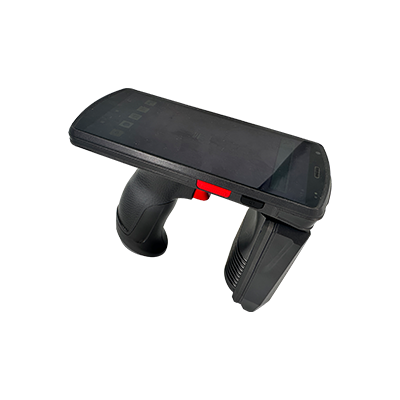
Your chosen barcode labels must integrate smoothly into your current asset tracking workflows. Check scanner compatibility first. Older scanners may only read 1D barcodes, while newer models can handle 2D or RFID.Also, ensure your asset management software supports the barcode formats you plan to use. Some systems require specific symbologies or data structures.Consider your scanning environment too. Handheld scanners, fixed readers, or smartphone apps have different capabilities and limitations.Testing labels, scanners, and software together before full deployment prevents costly disruptions and errors.
Tip: Always test barcode labels on actual assets and scanning devices in your environment before full rollout to ensure durability, adhesion, and compatibility.
Best Practices for Implementing Barcode Labels in Asset Tracking
Proper Label Application Techniques
Applying barcode labels correctly is key to ensuring they stay put and scan well. Always start by cleaning the surface thoroughly. Dirt, dust, or oils can prevent adhesives from sticking properly. Use rubbing alcohol or a mild cleaner, then let the surface dry completely.Place labels on flat, smooth areas whenever possible. Avoid seams, edges, or curved spots that cause labels to wrinkle or peel. Press the label firmly from the center outward to remove air bubbles and ensure full contact.If you apply labels in cold environments, warm the surface first. Adhesives bond better on warmer surfaces. For rough or irregular surfaces, consider flexible synthetic labels that conform easily.
Maintaining Contrast and Scan Readability
High contrast between the barcode and label background is essential for scanners to read codes quickly. Use dark ink on a light background, typically black on white or light-colored labels.Avoid placing labels on reflective or shiny surfaces without a matte finish, as glare can interfere with scanning. Also, keep labels free from scratches, smudges, or dirt that reduce barcode clarity.Print barcodes at a size suitable for your scanning distance. Small barcodes scanned from far away may fail. Follow recommended size guidelines for your barcode type.
Testing Barcode Labels Before Full Deployment
Always test barcode labels in real-world conditions before rolling them out fully. Scan labels using the exact devices your team will use on the floor. Check for readability, scan speed, and data accuracy.Test labels after application, including after exposure to environmental factors like moisture, heat, or abrasion. This helps catch issues early, avoiding costly re-labeling or scanning failures.Run sample audits or inventory counts using test labels to confirm workflow compatibility. Adjust label materials, adhesives, or print quality based on test results.
Using Thermal Printing for Durable and Clear Labels
Thermal printing is a popular method for producing barcode labels due to its sharp print quality and durability. There are two main types:
Direct Thermal Printing: Uses heat-sensitive paper that darkens when heated. It’s simple and cost-effective but less durable. Labels may fade over time, especially with heat or sunlight.
Thermal Transfer Printing: Uses a ribbon to transfer ink onto synthetic or paper labels. This produces longer-lasting labels that resist fading, moisture, and abrasion. Ideal for industrial or outdoor asset tracking.
Choosing thermal transfer printing with high-quality ribbons and label stock ensures crisp barcodes that last, reducing scanning errors and label replacements.
Tip: Always clean and prepare surfaces before applying labels, and test labels with your scanners in actual conditions to ensure durability and scanning accuracy.
Common Challenges and Solutions with Barcode Labels in Asset Tracking
Issues from Using Incorrect Label Types
Using the wrong barcode label type can cause many problems. For example, applying a paper label in a harsh industrial environment often leads to quick wear and tear. Labels may peel, fade, or become unreadable, causing scanning failures and lost data. Similarly, choosing a label with an adhesive that doesn’t suit the asset’s surface can result in peeling or falling off. This interrupts asset tracking and requires costly re-labeling.Incorrect label types also affect scan reliability. A barcode printed on a low-quality label may smudge or blur, making it hard for scanners to read. Using a barcode format unsupported by existing scanners can cause delays and errors during audits or inventory counts. These issues slow down operations and increase labor costs.
Handling Label Wear and Environmental Damage
Labels often face environmental challenges like moisture, heat, chemicals, or abrasion. Over time, these factors degrade labels, reducing scan accuracy. For instance, outdoor assets exposed to sunlight can suffer label fading, while exposure to oils or solvents can dissolve adhesives.To combat this, select durable synthetic labels designed for your environment. Polyester or polypropylene labels resist moisture, chemicals, and abrasion much better than paper labels. Using thermal transfer printing also helps produce long-lasting, clear barcodes that withstand environmental stress.Regular inspection and maintenance of labels are crucial. Replace damaged or faded labels promptly to avoid scanning problems. In some cases, protective overlays or laminates can shield labels from harsh conditions and extend their lifespan.
Overcoming Scanner Compatibility Problems
Scanner incompatibility is a common challenge. Older scanners might only read 1D barcodes like Code 39, while newer systems can handle 2D barcodes or RFID tags. Using barcode formats unsupported by your scanners leads to failed scans and workflow disruptions.To avoid this, assess your current scanning hardware capabilities before choosing barcode formats. If upgrading scanners isn’t feasible, stick to widely supported barcode types such as Code 39 or Code 128. Alternatively, invest in scanner upgrades that support 2D or RFID technologies to future-proof your system.Testing barcode labels with the scanners used daily ensures smooth operations. It also helps identify any scanning issues early, allowing for adjustments before full deployment.
Strategies to Minimize Label Peeling and Fading
Preventing peeling and fading starts with choosing the right label adhesive and material. Use permanent adhesives for smooth surfaces and specialty adhesives for rough or oily surfaces. Flexible synthetic labels conform better to curved or irregular asset shapes, reducing peeling risks.Proper surface preparation before label application is essential. Clean surfaces thoroughly to remove dust, oil, or moisture. Applying labels at recommended temperatures improves adhesive bonding.Using thermal transfer printing with high-quality ribbons produces sharp, durable barcodes less prone to fading. Avoid direct thermal labels for long-term outdoor use, as they fade faster when exposed to heat or sunlight.Finally, consider applying protective laminates or clear overlays, especially for labels exposed to harsh conditions. These layers shield the barcode from abrasion, moisture, and UV damage, extending readability and asset tracking reliability.
Tip: Always match barcode label materials, adhesives, and printing methods to your asset environment to prevent peeling, fading, and scanning failures.
Conclusion
Choosing the right barcode labels is essential for efficient asset tracking and management. Labels must match environmental conditions, surface types, and data needs to ensure durability and accuracy. Proper label selection reduces errors, lowers costs, and streamlines audits. As technology advances, barcode labels continue evolving to meet complex tracking demands. GAOFE International Industrial Co.,Ltd. offers high-quality, durable barcode solutions designed to enhance asset management efficiency and reliability in diverse industries.
FAQ
Q: What are barcode labels and how do they help in asset tracking?
A: Barcode labels are tags with encoded data that enable quick scanning for asset identification, improving tracking accuracy and efficiency.
Q: How do I choose the right barcode labels for different environments?
A: Select barcode labels based on durability needs; industrial synthetic labels suit harsh conditions, while paper labels work indoors.
Q: Why are barcode labels better than manual asset tracking?
A: Barcode labels reduce manual entry errors, speed up data capture, and lower operating costs by automating asset identification.
Q: What types of barcode labels are available for asset tracking?
A: Common types include industrial, retail, and LPN barcode labels, each designed for specific uses and environments.
Q: How can I prevent barcode label peeling and fading?
A: Use appropriate adhesives, prepare surfaces properly, choose durable materials, and consider protective laminates to extend label life.


